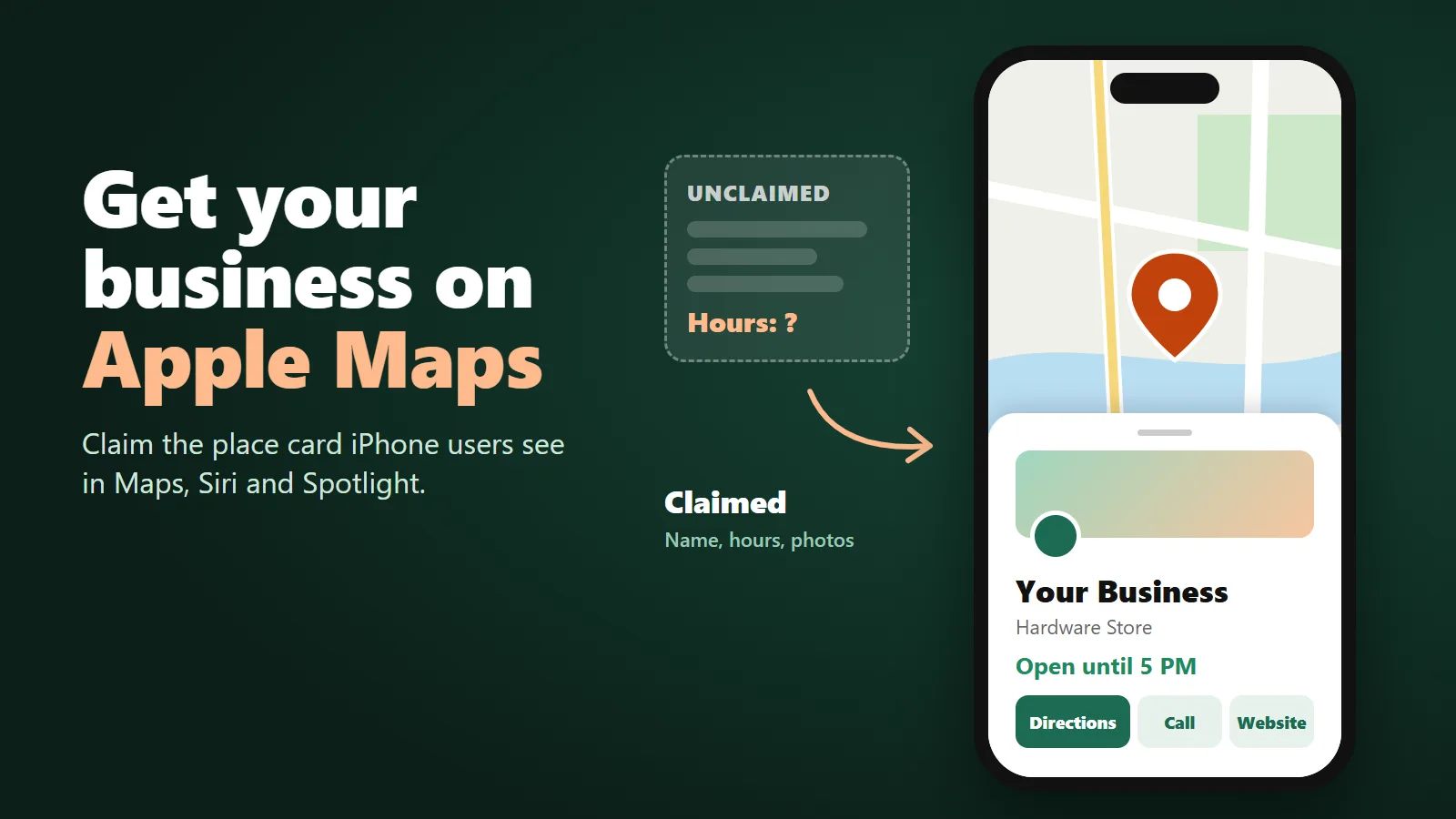
How to Get Your Business on Apple Maps
It’s 1:40 on a Saturday. A customer sitting in her car asks Siri for directions to your shop, and the card that comes up says you close at 2. You’ve been open until 5 on Saturdays since spring. She decides it isn’t worth the drive and goes somewhere else, and you never hear about it.
That card is an Apple Maps place card, and plenty of businesses have one they’ve never touched. As a Santa Barbara SEO agency, we get asked how to take control of it more and more, usually by owners who’ve only ever worked on their Google listing. Apple has published the whole process. We read it page by page, and everything below comes from Apple’s own site.
Apple Business Connect is now Apple Business
If you search for how to claim an Apple Maps listing, most articles still send you to Apple Business Connect. That product has been folded into something new. Apple’s old Business Connect user guide now opens with this: Apple Business combines the capabilities previously found in Apple Business Manager, Apple Business Essentials and Apple Business Connect into a single, comprehensive offering
. The old businessconnect.apple.com address now forwards to business.apple.com.
Apple announced the change on March 24, 2026, and said Brand management tools previously available in Apple Business Connect will now be available through Apple Business
. If you claimed your listing years ago, your work carried over: Apple said existing Business Connect data will automatically migrate to Apple Business at launch.
It costs nothing. Apple said that Starting April 14, Apple Business will be available as a free service in the U.S. and 200+ countries and regions
.
Most of Apple Business is about managing company iPhones and Macs, which you can ignore if all you want is your Maps listing. The part you want lives under Brands and Locations.
One place card, a lot of iPhone screens
The reason this matters more than it looks: the place card isn’t only in the Maps app. Apple’s user guide says your place card appears in many Apple apps, from Maps to Siri to Calendar, Messages, and Spotlight searches.
The March announcement adds Safari, saying place card details display across Apple Maps, Safari, Spotlight, and more.
And the cover photo and logo, which Apple calls the place card header, are what customers see when they select a location in Maps and Apple Wallet
.
- Maps
- Siri
- Spotlight
- Safari
- Calendar
- Messages
- Wallet
Sources: Apple Business User Guide, "Intro to Apple Business" and "About the cover photo"; Apple Newsroom, "Introducing Apple Business" (March 24, 2026).
We read that this way: when someone asks Siri about you, or types your name into Spotlight, this card is the record Apple has to work from. Our take is that this is a big part of what people now call AI search: a voice assistant answering for you from a listing you may never have opened. Checking what Siri and the other assistants say about a business is part of our AI search visibility work, and on an iPhone it starts with this card.
We didn’t find an Apple page that says how many iPhone owners use Maps. What Apple does say is Every day, users choose Apple Maps to discover and explore places and businesses around them.
And on its own marketing page Apple claims Claimed businesses get 30 percent more views
. That’s Apple’s number, not ours, but it’s the company that runs the map saying it.
Your card can change without you
A place card can exist whether or not you ever claim it. Apple’s guide has a separate path for adding a location that’s already on the map. And customers can flag mistakes: If your place card states a location is open and your customer finds your location is closed, they can report this issue to Apple directly from your place card.
Apple then fixes it. The guide says Apple reviews these reports and edits your place card to help ensure Maps shows accurate information about your location.
If you’ve claimed the card, Apple emails you when it changes the location name, status or hours, and you can accept or contest the change. If you haven’t claimed it, nobody gets that email.
Claiming your location, one step at a time
The sign-up starts at business.apple.com. These are the steps from Apple’s “Sign up and verify your organization” and “Add a single location” pages, in order:
- Create the organizationGo to business.apple.com and select Sign up now. The website field is optional, but Apple says
providing it can expedite your organization’s verification process.
The person signing up has to use a real first and last name. - Add the locationChoose Brands, then Locations, then Add Location. If the place is already on Maps, search for it and select it instead of creating a new one.
- Put the pin on the roofApple wants the coordinates
on top of the building, centered over your location
, not on the sidewalk or the parking lot entrance. Drag the map until it's right. - Fill in the basicsDisplay name, primary category, status (Open or Opening Soon), phone number with country code, website and hours.
- Pick a brandChoose your brand from the list or create one. Every location belongs to a brand.
- VerifyIf this is your first location, Apple has to verify your organization before it goes live. That's the next section.
If someone else already manages the location, Apple shows the message This location is already managed.
Apple’s instructions are to keep going, add it anyway and request a transfer with supporting documents, such as a business license or utility bill. That happens more than you’d think with a former manager, an old agency or a previous owner.
What Apple checks before it trusts you
Verification is where most people stall. Apple’s guide says: you have 60 days to verify your organization with Apple. This requires two methods of verification and can take up to five business days to complete.
It also warns that During periods of high volume, additional time may be necessary.
The methods Apple lists are a business ID (a D-U-N-S Number or Employer Identification Number), adding a TXT record to your domain’s DNS, an app in App Store Connect if you have one, and uploading an official document. The documents it accepts are a business license, sales tax permit, food, health or alcohol permit, lease or property agreement, utility bill, or other. Our suggestion: have your EIN and a business license or utility bill in the business’s name ready before you start.
Don’t let the 60 days run out. Apple is blunt about it: If your organization isn’t approved during the verification window, your organization, data, and Managed Apple Accounts are deleted.
There’s a shortcut for some existing listings. Apple says Phone verification may be available if a location already exists on Maps.
Apple calls the number it has on record, and you enter a four-digit code. If you don’t recognize that number, Apple’s guide says to contact Apple Business support.
Every piece of content gets a human review, and Apple gives a time for each one:
- Organization verificationUp to 5 business days
- Transfer of a location someone else managesUp to 5 business days
- Brand name and logoUp to 5 business days
- Display name change you contestUp to 5 business days
- PhotosUp to 3 business days
- Actions (buttons like Order)Up to 3 business days
- ShowcasesUp to 3 calendar days
- Insights after verificationUp to 1 hour
Source: Apple Business User Guide pages on verification, adding a location, brand identity attributes, location accuracy, photo standards, Actions, showcases and insights.
Every field Apple asks you to fill
Apple’s “Configure location attributes” page lists what goes on a location and the rules for each. These are the ones that decide whether a customer calls you or someone else:
- Display nameIt
Needs to match the name on the storefront, signage, or official website.
No taglines, no service lists, no ® or ™. - AboutThe description Apple shows on the card: what you're known for, your specialties, your history.
- Primary categoryExactly one. Apple says to
Be as specific as possible
. You can add up to 19 more categories. - HoursNormal hours, plus special hours for a service and temporary hours for holidays or closures. Apple wants them to match your website.
- PhoneThe number on your website, with the country code. Apple says extensions aren't supported.
- WebsiteA page for that location if you have one. Facebook, Instagram or TikTok can be used, but Apple says
It can’t be a third-party website.
- Good to KnowPayments, parking, accessibility, Wi-Fi and other amenities, shown as a list with icons.
- Photos and coverUp to 100 per location. The cover photo needs to be at least 1600 x 1040 pixels and the logo at least 1024 x 1024.
- Your appOnly if it's your brand's own official app.
On photos, read Apple’s standards before you upload anything. The list of things a photo can’t contain includes QR codes, collages, added text, watermarks, stock photos and Any AI-generated content
. Real photos of your storefront, your work and your team, taken on a phone, are what Apple is asking for.
The hours rule is the one that would have saved the customer in the parking lot. Apple’s guide says Whenever possible, hours shown on your place card need to match the hours published on your official website.
Apple asks for the same consistency with your name and phone number. Keeping those details identical on your site, your Google profile, Bing, Yelp and Apple is the unglamorous core of local SEO, and Apple is one more place they have to match.
Brand versus location, in plain terms
Apple’s glossary defines a brand as In an organization, a unit that operates one or more locations under the same name.
A location is a single place customers go. Apple explains how they connect: Every location is associated to a brand. When you set up your first brand, you can set specific information that cascades to associated locations, such as a name, logo, or cover photo.
For a single shop, that means you set your logo once on the brand and add one location under it. If you have three shops, they share the brand, and each can have its own cover photo, which Apple says takes precedence over the brand’s cover photo.
A brand is also what shows up in other Apple features: Apple says adding one lets customers find it in Maps
, and the same brand logo appears with Branded Mail and Tap to Pay on iPhone.
Businesses that work at the customer’s address, like plumbers, roofers or mobile detailers, should read Apple’s address rule carefully. Apple describes the address as the address of your location where customers can get goods or services during open hours.
For brands, Apple says to pick a single brand if you don’t have a physical location where customers can go or for a small business.
We couldn’t find an Apple page that explains a hidden-address or service-area setup the way some other listing platforms offer one. Our advice is not to list a home address as if it were a storefront just to get a pin.
Showcases and buttons that book the job
Once you’re verified, two features let the card do more than show hours.
A showcase is Apple’s version of a post or offer. Apple describes it as a module on the place card that allows you to highlight new items, deals or sales, or other promotional content
. Each one has a photo, a heading of up to 38 characters, a body of up to 100 characters and an optional button. Apple says Showcases can run for up to 365 days. The default is set for 90 days.
Plan ahead: Apple reviews each one and says to allow at least three calendar days.
Actions are buttons near the top of the card that send a customer straight to booking or ordering. Apple says These buttons might have names such as “Order” or “Tickets.”
The options depend on your category; for a restaurant Apple lists Menu, Reserve, Waitlist, Pickup and Delivery. Customers need iOS 17.4 or later to see them. Apple’s marketing page claims Action links increase your clickthrough rate by 31 percent across website, call, and action buttons.
Again, that’s Apple’s figure.
What Apple reports back, and what it now sells
After verification, Apple shows you how people found you. Insights split searches into a name or brand search, a category search (someone looking for the kind of thing you do) and other searches. They count place card views and taps on directions, your website, your phone number, sharing and photos, and show a map of where people were when they asked for directions to you. Apple notes that Usage metrics below a reporting threshold are represented as zero
, so a quiet month for a small shop may show zeros.
Apple also now sells ads on Maps, available in the United States and Canada. Its guide says To start advertising on Maps, you’ll need to first sign up for Apple Business.
Ads are bought with a monthly budget maximum you can pause at any time, and Apple’s marketing page says the first $150 is on us
, with eligibility limits and terms. If you already pay for Google Ads management, this is a new channel worth a test, but our view is that it only makes sense once the place card itself is complete. An ad that sends people to a card with wrong hours and no photos is money spent on the problem you started with.
Ask whoever handles your listings
Plenty of owners pay a monthly fee for someone to “manage your listings.” Ask them three things: is our organization verified in Apple Business, who is the administrator, and when were our hours last updated there. Apple’s guide lists approved third-party partners and lets you share access with an agency, so a good one can show you exactly what they changed. If they can’t tell you whether Apple Maps was ever touched, that’s BSEO, and BSEO is you not knowing what you bought.
Sources: Apple Newsroom, "Introducing Apple Business, a new all-in-one platform for businesses of all sizes" (March 24, 2026); Apple Business, business.apple.com and its Grow page; Apple Business Connect User Guide, welcome page; Apple Business User Guide: "Intro to Apple Business," "Sign up and verify your organization," "About locations," "Configure location attributes," "Add a single location," "Maintain location information accuracy," "Add, edit, or delete photos," "About the cover photo," "Photo and text standards and guidelines," "Brand identity attributes," "Add a brand," "Create your first showcase," "About Actions," "Use insights for a single location," "Promote your business on Apple Maps" and "Glossary."
Send us your business name and website. We'll look up your Apple Maps place card, check your name, hours, phone and category against your website and your Google profile, and show you the searches you're found for and the ones you're missing. No charge, and no obligation. Or call or text 805.243.8321.
Get My Free Market AssessmentApple Maps, Google and the AI assistants all read the same basic facts about your business, so getting them right in one place pays off everywhere when it’s part of SEO done the way search engines actually describe it.