How to Remove Outdated or Unwanted Results From Google (and Which Tool to Use)
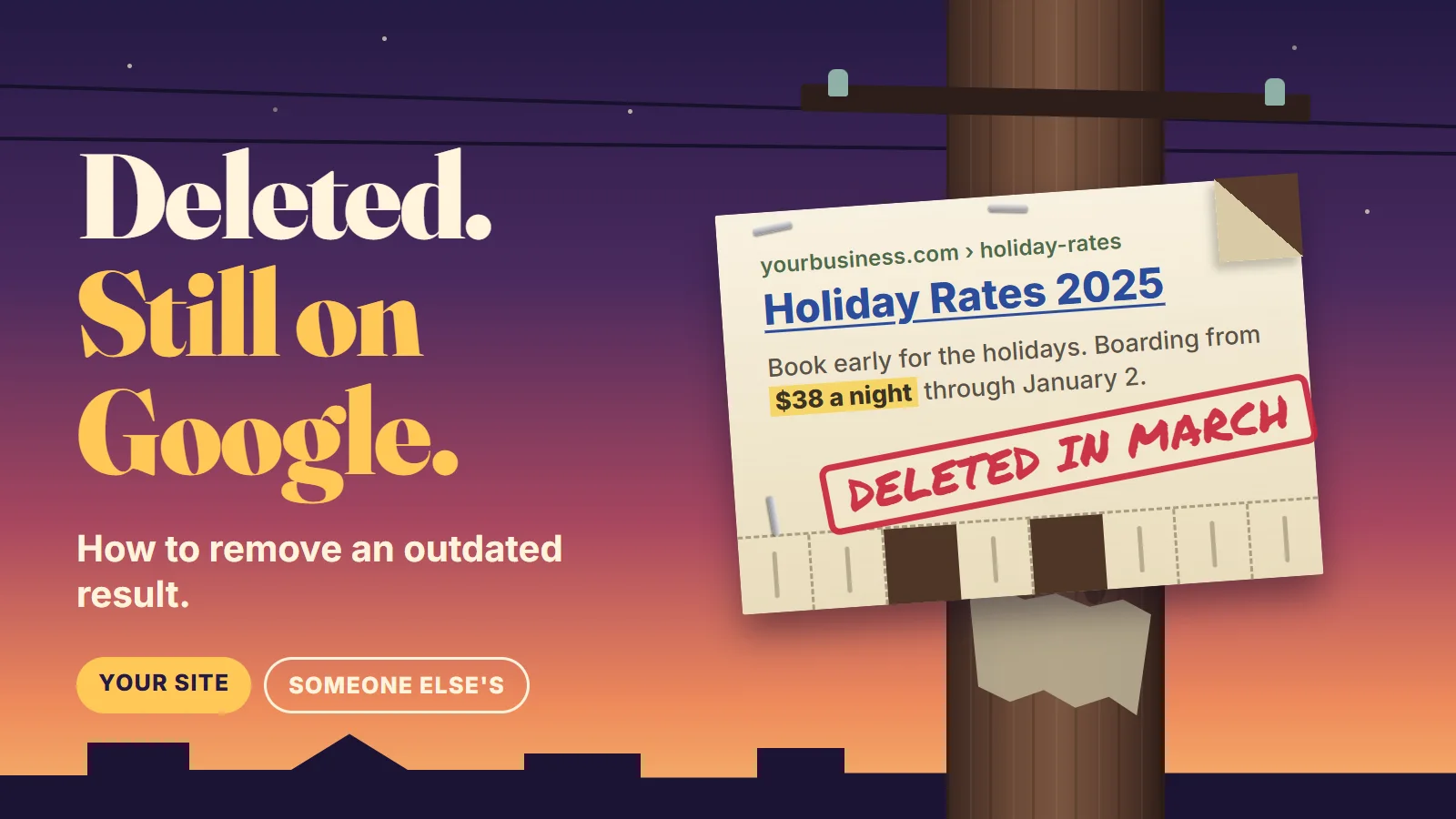
A woman who runs a dog boarding kennel searches her own business name on a slow Tuesday in October. The third result is the holiday rate sheet she deleted in March, with last year’s prices sitting in the gray text under the link. Below it is a PDF of a staff schedule nobody meant to publish, and a “Meet the team” page for a groomer who left in the spring. How do you remove outdated or unwanted results from Google? You pick the tool by answering two questions: is the page on a website you control, and is the content still on that page? Google has a free tool for each answer. None of them takes anything off the web, because only the person who runs the website can do that.
We look at what Google shows for a client’s own name early in any local SEO job, because in our view an old price or a dead phone number in a search result loses calls no matter how well the page ranks. Below is what Google’s own documentation says about each option, quoted word for word. Where something is our opinion, we say so. None of this is legal advice.
Which Google tool fits which result?
Google’s Search Console help says it plainly: Search Console exposes two tools for removing or refreshing content in Search results
. The Removals tool is for your own website: You must own the property in Search Console to use this tool.
The Refresh Outdated Content tool is for everyone else’s: You do not need to own the website to use this tool.
The second question is whether the thing you want gone is still on the page. That decides whether Google will act at all. We put both questions in one grid.
- It shows your home address, personal phone or an ID numberThat has its own route: Google's personal information removal request.
- You believe it breaks the law or your rightsThat goes through Google's legal request forms, and it's a question for your attorney.
Our summary. Sources: Search Console Help, "Removals and SafeSearch reports tool" and "Refresh Outdated Content tool"; Google Search Help, "Remove my private info from Google Search"; Legal Help, "Report Content for Legal Reasons."
The kennel owner’s three results all sit in the left column. Her website, her call. That’s the easy side of the grid.
How do you remove a page from your own website?
Start by opening the old address yourself. If the rate sheet still loads, it was never deleted. It was only taken out of the menu, and Google is showing a page that exists.
If it’s truly gone, Google says you may not need to do anything. Its Removals help page lists cleanup as a reason not to use the tool: If you recently changed your site and now have some outdated URLs in the index, Google’s crawlers will see this as we recrawl your URLs, and those pages will naturally drop out of our search results.
A page that returns a “not found” code gets dropped when Google next visits. Google’s crawler documentation says of those codes that the indexing pipeline removes the URL from the index if it was previously indexed.
When you can’t wait, the Removals tool is the fast lane. Google’s Search Central page says to use the Removals tool to remove a page hosted on your site from Google’s search results within a day.
The tool’s own page is a little more careful: The request usually takes up to a day to process, and is not guaranteed to be accepted.
It covers both of the kennel’s cases, because Google says it’s for when the page or image is already removed, but still appears in Google Search result
as well as for pages that still exist.
What catches owners out is the word “temporary.” Google puts it under a heading called “Very important notes”: A successful request lasts only about six months.
- Up to a dayGoogle processes the request. It can be denied.
- About six monthsThe URL is hidden from Google's results. Google can still crawl the page the whole time.
- After thatIf the page is still there and still open to Google, it can come back.
Source: Search Console Help, "Removals and SafeSearch reports tool," sections "Temporarily block a URL" and "Make your removal permanent."
The same notes explain why it comes back: Blocking a URL does not prevent Google from crawling your page, only from showing it in Search results.
Google calls the tool the first step in permanently blocking a page from Google Search results.
The second step is yours. For the staff schedule, Google is specific: Non-HTML files (like PDFs) should be completely removed from your server.
For the groomer’s page, delete it and make sure the address returns either a 404 (Not Found) or 410 (Gone) HTTP status code.
Two cautions before you press the button. First, one page can live at several addresses, and Google warns that if the content you’re trying to remove appears in our search results under other URLs, it can still appear.
Search your business name again afterward and file a request for each address that shows it. Second, the tool has an option to remove every URL that starts with a prefix, and Google’s example of it is blunt: To block an entire site, use a URL like this: https://example.com/
. Type the full address of the one page and choose “Remove this URL only.”
And before you delete anything, check that nothing you pay for still points at it. A deleted page left as the landing page of a live ad is money spent sending people to an error, and catching that is routine Google Ads management.
Why isn't robots.txt a removal method?
Because it tells Google not to read a page, which is a different thing from not listing it. Google’s introduction to robots.txt says the file is not a mechanism for keeping a web page out of Google.
The reason is in a warning on the same page: If other pages point to your page with descriptive text, Google could still index the URL without visiting the page.
Google lists three ways to make a removal stick, and then says Do not use robots.txt as a blocking mechanism.
We put all of them side by side.
- MethodWhat it doesWatch for
- Delete the page or filePermanentThe address returns 404 or 410 and Google drops it. Google calls removing the content
the most secure way
.The page is gone for customers too. Fix any links and ads that pointed to it. - Password-protect itPermanentStaff can still open it. Google's crawler and the public can't.Good for the schedule or a price list meant for staff only.
- Add noindexPermanentThe page stays up for anyone with the link. Google drops it from results after its next visit.Google calls this
less secure than the other methods.
Anyone can still open the page. - Removals tool aloneTemporaryHides the URL from Google's results quickly.Google:
Using the tool alone won't work.
Pair it with one of the three above. - robots.txtNot a removalStops Google from crawling the page. The bare address can still be listed.It can also hide your noindex tag from Google, so the two cancel out.
Our summary. Sources: Search Console Help, "Removals and SafeSearch reports tool"; Google Search Central, "Remove a page hosted on your site from Google," "Block Search indexing with noindex" and "Introduction to robots.txt."
That last row is the mistake we’d most like owners to avoid. Someone adds noindex to a page and blocks it in robots.txt for good measure. Google’s noindex page explains what happens next: If the page is blocked by a robots.txt file or the crawler can’t access the page, the crawler will never see the noindex rule, and the page can still appear in search results
. Pick one. For removal, pick noindex.
Noindex also needs patience. Google says We have to crawl your page in order to see
the tag, and that Depending on the importance of the page on the internet, it may take months for Googlebot to revisit a page.
A PDF can’t carry a tag in its code, but Google says A response header can be used for non-HTML resources, such as PDFs, video files, and image files.
That one is a job for whoever manages your server.
There is one place robots.txt does work, and that’s media. Google says you can use it to prevent image, video, and audio files from appearing in Google Search results.
So if the unwanted result is an old promo video for an offer you dropped, blocking the file is allowed. In our view replacing it with a current one is the better move, and that’s a video marketing job more than a removal job.
How do you fix an old price or phone number in the snippet?
Sometimes the page should stay and only the description under the link is wrong. You raised your prices in the summer and Google’s snippet still shows the spring number.
Fix the page first. Then you have two choices in Search Console. The Removals tool has a second option called Clear snippet in search, which Google says Wipes out the page description snippet in Search results until the page is indexed again, when the snippet will be generated from the new content.
Or you can ask for a fresh visit. Google’s recrawl page says If you’ve recently added or made changes to a page on your site, you can request that Google re-index your page
and sets the expectation: Crawling can take anywhere from a few days to a few weeks.
Asking over and over doesn’t help. Google says requesting a recrawl multiple times for the same URL won’t get it crawled any faster.
If the old phone number is in the business box on the right side of the results and not in a website listing, none of these tools apply. Google’s removal page points you to the profile itself: Edit business information that you added to your Business Profile.
There’s a reason to fix the page and not only the result. Google isn’t the only thing reading your website. In our view an old price left on a live page is as likely to turn up in an AI assistant’s answer as in a snippet, which is why AI search visibility work begins with what you have published.
What if the result is on someone else's website?
Then the order flips. You can’t change the page, so someone else has to, and Google’s tool only helps after they do.
Say the groomer who left still has a profile on a pet directory that lists the kennel as her workplace, with the kennel’s phone number. Google’s help page for this case starts with the hard truth: To remove something from a website, you usually need to talk to the person who owns the website. Even if you found it on Google, Google doesn’t own the website.
And it says why that’s the better route anyway: The best thing to do is to talk to the website owner, because they can take the page down.
If nobody answers, Google suggests going one level up: If you can’t reach the website owner, try to talk to the company that hosts the site.
Once the page is changed or deleted, the Refresh Outdated Content tool gets Google to notice. Google describes it as a way to have Google update search results for pages or images that no longer exist, or pages that have deleted important (sensitive or critical) content.
- What it can do
- Drop a result for a page that no longer exists.
- Clear a snippet that shows text the page no longer has.
- Work on a site you don't own, as long as you're signed in to a Google account.
- What it cannot do
- Remove a page that still exists and hasn't changed.
- Take anything off the website itself.
- Judge whether what a page says is true or fair.
Our summary. Source: Search Console Help, "Refresh Outdated Content tool."
Google’s own hint on that page is that the tool will not remove a page or image that still exists and has not changed.
It also says not to use it if you think the information on the page or image is wrong, bad, illegal, etc.
A request made while the old text is still live comes back denied, and the Removals help page gives the reason you’ll see: The content flagged as removed by the requestor is still present on the page.
When it does apply, the form is short. If the page still exists, Google asks for the missing words: provide 1-2 words that existed in the snippet of the search result, but are no longer live.
Then you wait. Google says Processing can take a few days.
If the page was deleted, it will no longer appear in Search results.
Will Google remove your personal information?
Some of it, and this route is about you as a person, not about the business. Google’s help page says You can ask Google to remove some of your private Personally Identifiable Information from Google Search results.
Its list includes a home address, phone number or email, government ID numbers, bank or card numbers, and pictures of a signature.
There’s also a feature called Results about you that looks for results showing your contact details and lets you file requests from one screen. Google notes that Some of these features are currently rolling out for users who are over the age of 18 in certain markets.
Owners should know two limits. The first policy requirement is that The contact info or government ID number displayed on the result has to be your personal info.
A business line you’d rather not have listed isn’t that. Your cell number on a page you never agreed to might be. And Google treats some sources as off limits: Google considers some results valuable to the public. These can include government or educational websites, online newspapers, or business websites.
Even an approved request has an edge. Google says it doesn’t mean that the info is gone from the internet.
The page is still there for anyone who has the link.
When is it a legal removal request?
When your complaint is that the content breaks the law, not that it’s old. Google’s Legal Help page says If you see content on a Google product that you believe violates the law or your rights, let us know. We’ll review the material and consider blocking, limiting, or removing access to it.
Copyright is the example it names: It is Google’s policy to comply with notices of copyright infringement pursuant to the Digital Millennium Copyright Act.
Google asks for precision in these requests: please include the specific URL(s) of the content you want to report, as opposed to the link to the website’s home page.
And it repeats the same caveat as every other tool on this page: We can restrict access to content that appears in Google products and services, but that content may still exist elsewhere on the web.
We’re a marketing company, not a law firm, so that’s as far as we go. Whether something that was written about your business gives you a legal claim is a question for an attorney, and a legal form is a poor place to guess.
What will Google not remove?
More than most owners hope. Every tool above either follows a change that already happened on a website or applies a specific policy. None of them is a way to make a true, live, public page disappear because you don’t like it.
- A live page on someone else's site that hasn't changedAsk the site owner to change it, then use the Refresh Outdated Content tool.
- Content you think is wrong or unfair, but that breaks no policy or lawTalk to the site owner. If you think the law is on your side, talk to an attorney.
- News coverageGoogle says
if the content is about something important or newsworthy, like the news, Google might not take it down.
- The page itselfGoogle's tools change Google's results. Deleting the page is up to whoever runs the site.
- Results on other search enginesFix the page at the source so every search engine sees the change.
- Your own page, for good, with the tool aloneDelete it, lock it or noindex it within the six months.
Our summary. Sources: Search Console Help, "Removals and SafeSearch reports tool" and "Refresh Outdated Content tool"; Google Search Help, "Remove my private info from Google Search" and "Contact a website owner."
Google is consistent about where its reach ends. The Removals tool page says This tool removes content only from Google Search.
The Refresh page says This tool only updates Google’s search result, it does not remove a page from the web.
The help page on contacting a site owner says Even if Google takes the website or picture off from our search result, the page is still there.
Which is why we’d be careful with anyone selling “guaranteed removal from Google.” Google itself says a request is not guaranteed to be accepted
, and the tools that do the work are free. BSEO is you not knowing what you bought, and a paid promise to do what a free form does, or what Google says it won’t do, fits the description. We don’t sell removal. We’d sooner show you which box in the grid you’re in and let you file the request yourself.
Sources: Google Search Central, "Remove a page hosted on your site from Google," "Block Search indexing with noindex," "Introduction to robots.txt" and "Ask Google to recrawl your URLs"; Google crawling documentation, "How HTTP status codes affect Google's crawlers"; Search Console Help, "Removals and SafeSearch reports tool" and "Refresh Outdated Content tool"; Google Search Help, "Remove my private info from Google Search," "Find and remove personal info in Google Search results" and "Contact a website owner"; Legal Help, "Report Content for Legal Reasons." All checked November 13, 2026.
Send us your business name and the result that's bothering you. We'll tell you which of Google's tools fits it, what has to change on the page first, and how the rest of your results compare with the businesses you compete against. No charge, and no obligation. Or call or text 805.243.8321.
Get My Free Market AssessmentClearing out an old result is housekeeping, and SEO that earns the click is what you put in its place.