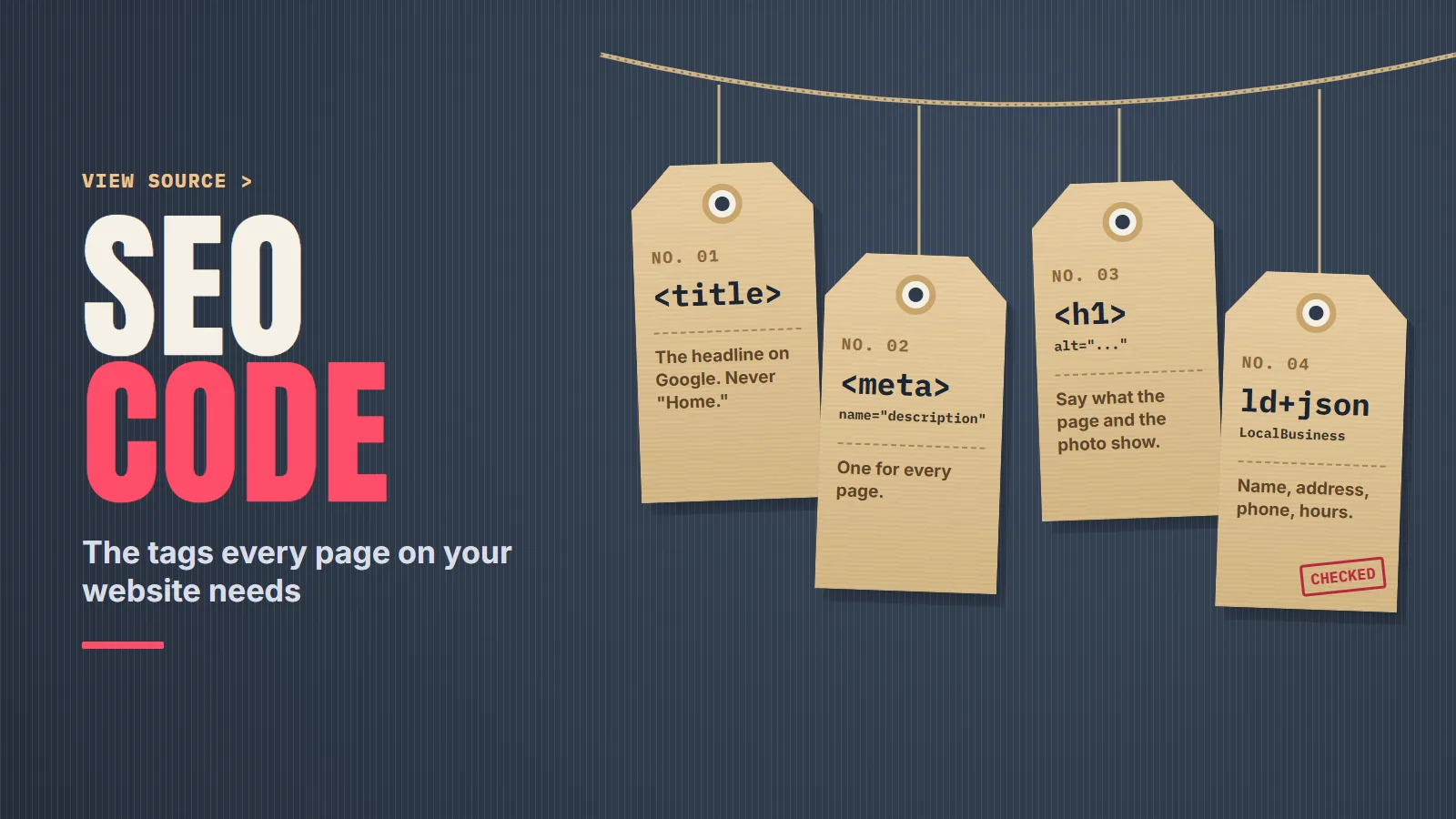
SEO Code: The Tags Every Page on Your Website Needs
You right-click your own homepage, pick View Page Source, and a new tab fills with code you didn’t write. You scroll, squint, and find one line you can actually read: <title>Home</title>. That word is the headline Google has been offered for your business on every search, possibly for years.
“SEO code” isn’t a secret script you buy. It’s a short list of ordinary HTML lines that tell Google what a page is, what to call it in results, and whether to show it at all. As an SEO company in Santa Barbara that has been doing this since 2008, we read these lines first on every site we take over, because they’re cheap to fix and expensive to get wrong.
What sits in the head of a page
Most of the code that matters lives between <head> and </head>, near the top of the source. Visitors never see it on the page. This is what a clean one looks like for a single service page.
<head>
  <meta charset="utf-8">
  1<title>Water Heater Repair in Ventura | Mesa Plumbing</title>
  2<meta name="description" content="Water heater repair and replacement in Ventura and Oxnard. Licensed plumbers, upfront pricing, same-week appointments.">
  3<link rel="canonical" href="https://www.example.com/water-heater-repair/">
</head>- 1Title element. One of the sources Google uses for the blue headline in results, and the text on the browser tab.
- 2Meta description. A short summary Google may use as the gray text under the headline.
- 3Canonical link. Names the one address you want counted for this page.
One tag you won’t find in that example is meta keywords. Plenty of older sites still carry a long list of them. Google’s documentation is direct: The meta-keyword tag is not used by Google Search, and it has no effect on indexing and ranking at all.
Your title is the headline on Google
Google’s first instruction on titles is the simplest one on this page: Make sure every page on your site has a title specified in the
The next one is aimed at exactly the homepage in our opening: <title> element.Avoid vague descriptors like “Home” for your home page, or “Profile” for a specific person’s profile.
Each page should get its own title, too. Google warns against repeated or boilerplate text in
, and against stuffing, noting that keyword stuffing <title> elementscan make your results look spammy to Google and to users.
A good pattern is the service, the place, then your name, like the Mesa Plumbing example above.
Google doesn’t promise to use your title word for word. It says it uses a number of different sources to automatically determine the title link
, and those sources include the title element, the main visual title on the page and heading elements. A clear title that matches the page’s main heading gives it the least reason to look elsewhere. Writing one a stranger will click is the same skill as writing a search ad headline, which is a big part of Google Ads management, except nobody bills you for the click.
A meta description Google may or may not use
Google doesn’t always show your meta description. In Google’s words: Snippets are primarily created from the page content itself. However, Google sometimes uses the meta description HTML element if it might give users a more accurate description of the page than content taken directly from the page.
That makes it worth writing well, not worth agonizing over. Google’s guidance is to create descriptions that accurately describe the specific page
, and it points out that Identical or similar descriptions on every page of a site aren’t helpful when individual pages appear in search results.
There’s no magic length either: There’s no limit on how long a meta description can be, but the snippet is truncated in Google Search results as needed, typically to fit the device width.
If you use a site builder, you probably won’t type any of this into raw code. Google notes that your CMS might have a search engine settings page or some other mechanism to tell search engines about meta tags.
That settings box is where the title and description go.
Headings and alt text, down in the body
Below the head, two more pieces of code carry real weight. The first is your headings, the <h1> through <h6> tags. Google suggests making the main title stand out, for example by putting the title text in the first visible
. You can stop worrying about the rules people repeat about heading order, though. Google’s starter guide says <h1> element on the pagefrom Google Search perspective, it doesn’t matter if you’re using them out of order
, and There’s also no magical, ideal amount of headings a given page should have.
The second is alt text, the description inside an image tag. Google calls it The most important attribute when it comes to providing more metadata for an image
and says it uses alt text along with computer vision algorithms and the contents of the page to understand the subject matter of the image.
Write what the photo actually shows, the way you’d describe it to someone on the phone. Google’s guidance is to focus on useful, information-rich content that uses keywords appropriately and is in context of the content of the page.
<!-- Says nothing -->
<img src="IMG_4471.jpg">
<!-- Says what the photo shows -->
<img src="tankless-water-heater-install.jpg" alt="Tankless water heater mounted on a garage wall after installation">
The file name helps a little as well. Google says it can give Google very light clues about the subject matter of the image
, and its own example is that my-new-black-kitten.jpg is better than IMG00023.JPG.
Two lines that can hide a page
The robots meta tag tells search engines whether a page may appear in results. Most pages don’t need one. Google says that without a noindex rule, the page, media, or resource may be indexed and shown in search results.
The dangerous value is noindex, which Google defines as Do not show this page, media, or resource in search results.
It’s the right tool for a thank-you page or a private login. Left on a service page, often from when the site was being built, it quietly removes that page from Google.
The canonical tag is the other one to check. It points at the address you want treated as the real version of a page. Google calls it A strong signal that the specified URL should become canonical
and recommends that you Do include a
What to watch for is every page on the site pointing its canonical at the homepage, which asks Google to treat all of them as copies of the homepage.rel=“canonical” link on the canonical page itself (also known as a self-referential canonical).
<meta name="robots" content="noindex">
<link rel="canonical" href="https://www.example.com/"><!-- no robots tag: indexing allowed -->
<link rel="canonical" href="https://www.example.com/water-heater-repair/">LocalBusiness schema for a service business
Structured data, often called schema, is a block of code that states facts about the business in a format machines read without guessing. Google describes it as a standardized format for providing information about a page and classifying the page content
, and it recommends the JSON-LD format, calling it the easiest solution for website owners to implement and maintain at scale
.
For a local business, the type to know is LocalBusiness. Google’s documentation lists only two required properties, name and address, with recommended ones such as telephone, url, priceRange and openingHoursSpecification. It also says to Use the most specific LocalBusiness sub-type possible
, so a plumber uses Plumber, not the generic type.
<script type="application/ld+json">
{
  "@context": "https://schema.org",
  "@type": "Plumber",
  "name": "Mesa Plumbing",
  "address": {
    "@type": "PostalAddress",
    "streetAddress": "100 Example Ave",
    "addressLocality": "Ventura",
    "addressRegion": "CA",
    "postalCode": "93001",
    "addressCountry": "US"
  },
  "telephone": "+18055550142",
  "url": "https://www.example.com/",
  "priceRange": "$$",
  "openingHoursSpecification": [
    {
      "@type": "OpeningHoursSpecification",
      "dayOfWeek": ["Monday", "Tuesday", "Wednesday", "Thursday", "Friday"],
      "opens": "07:00",
      "closes": "17:00"
    }
  ]
}
</script>
A made-up business at a made-up address with a 555 number. Swap in your real details, exactly as they appear on your Business Profile and your contact page.
Two rules keep this honest. Google says don’t add structured data about information that is not visible to the user, even if the information is accurate
, so every fact in the block should also be on the page. And the review and rating properties that plugins love to add come with a catch: Google says they’re only recommended for sites that capture reviews about other local businesses
. Pasting your own star average into your own schema isn’t what they’re for.
The same facts belong everywhere: your schema, your contact page and your Business Profile should agree to the digit. Keeping them in agreement is ordinary local SEO housekeeping, and it’s often the first thing out of date.
Open the source and search it
You don’t need a tool to look at any of this. In Chrome, Edge or Firefox on Windows, press Ctrl+U on any page. In Chrome on a Mac, it’s Option+Command+U. Then use find (Ctrl+F or Command+F) and search the source for each of these:
- <title There should be one, and it should name the page, not say "Home" or repeat the same words as every other page.
- name="description" One per page, written for that page.
- noindex On a page you want customers to find, this should come up empty.
- canonical It should point at the page you're looking at, not the homepage.
- ld+json If you're a local business, this is where your LocalBusiness block would be. Google's
Rich Results Test is an easy and useful tool for validating your structured data
. - alt= Look at what's inside the quotes. Empty, or a camera file name, means Google gets nothing from the photo.
One caution. View Source shows the page as your server sends it. Some sites add tags afterward with JavaScript, and Google says it can read JSON-LD data when it is dynamically injected into the page’s contents
. If something seems missing, run the page through the Rich Results Test before assuming it’s gone.
Tags nobody checked after launch
None of these lines is hard to write. The trouble is that they’re invisible on the page, so they get set once at launch and never looked at again. A new service page goes up with a copied title. A plugin adds a noindex. The phone number changes on the Business Profile but not in the schema. If you’ve paid for SEO for years and your homepage title still says “Home,” that’s BSEO: paying for something and not knowing what you bought.
Clean, accurate tags matter beyond the blue links, too. When we do AI search visibility work, the page’s head and its structured data are the first things we check, because a page that clearly states what it is and who it belongs to leaves less for any machine to guess.
Sources: Google Search Central documentation, "Influencing your title links in search results," "Control your snippets in search results," "Introduction to structured data markup in Google Search," "Local business (LocalBusiness) structured data," "Robots meta tag, data-nosnippet, and X-Robots-Tag specifications," "How to specify a canonical URL with rel="canonical" and other methods," "Google image SEO best practices," "Meta tags and attributes that Google supports," "SEO Starter Guide."
Send us your website. We'll read the titles, descriptions, robots tags, canonicals and schema on your key pages, show you the searches you're found for and the ones you're missing, and tell you what to fix first. No charge, and no obligation. Or call or text 805.243.8321.
Get My Free Market AssessmentTags are one layer of the work. The rest of it is in how we approach SEO.