What Do the Numbers in Google Business Profile Performance Mean?
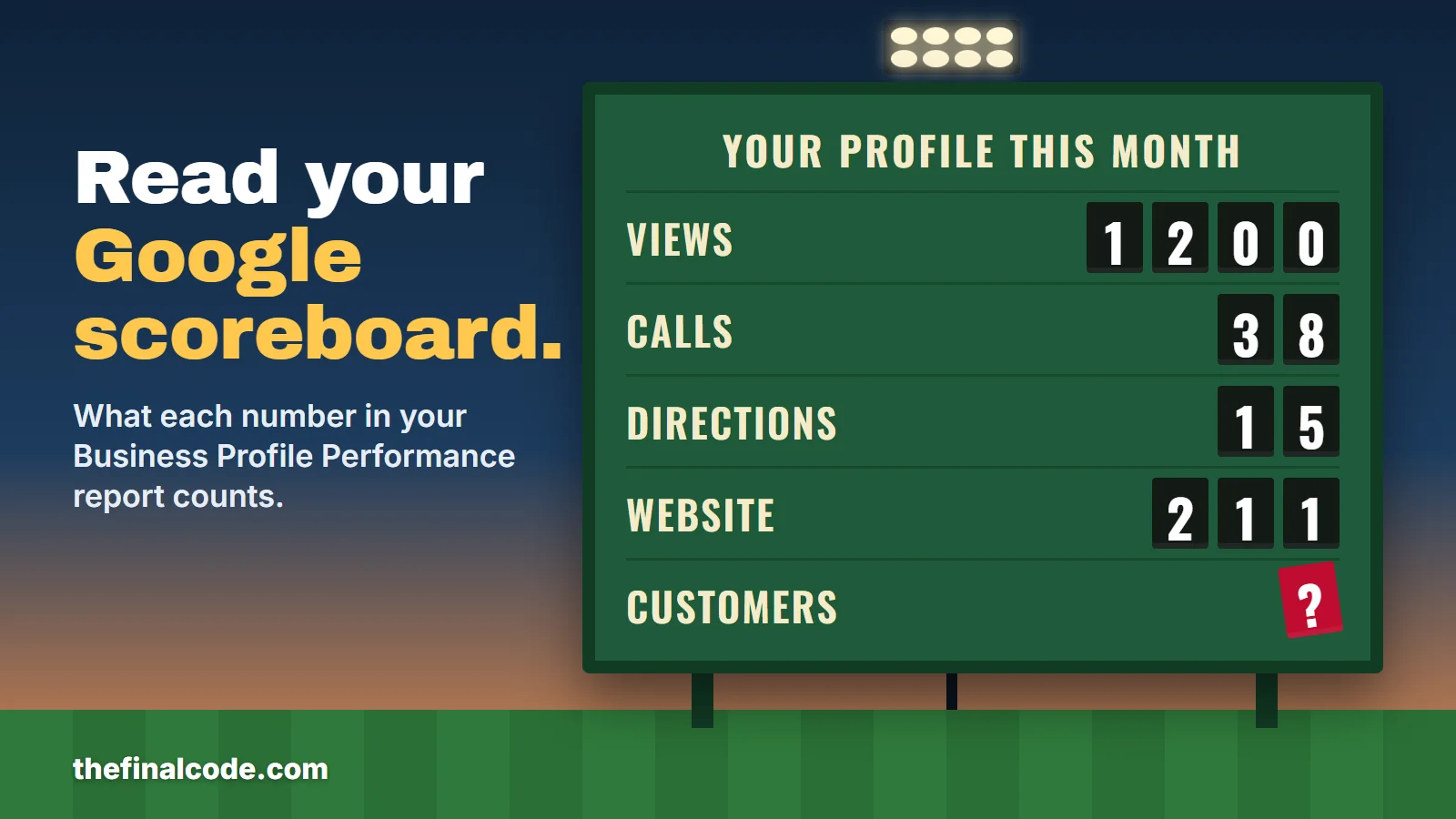
Picture the owner of a pool service on Long Island, New York, opening his Google Business Profile on the first of the month. The Performance page says his profile got 1,200 views, 38 calls and 211 website clicks, and nothing on the screen tells him whether that’s good. What do those numbers mean? Views count how many people saw your profile on Google Search and Maps, and Google counts each person only once a day. Searches show the words people typed when your profile came up. Calls, directions, website clicks, messages and bookings count what people did after they saw you, and those action numbers are the ones that come closest to real customers.
We do SEO services on Long Island and in other markets, and this report is one of the first things we open when an owner asks us whether their profile is working. Every definition below comes from Google’s own help pages, quoted word for word. Where something is our reading or our opinion, we say so.
Where is the Performance report, and who can see it?
You need two things before Google will show you anything. Google says Performance data is available only for verified Business Profiles.
And To check your Business Profile performance, you must be signed in to the Google Account associated with your profile.
If your profile isn’t verified, the report stays empty, so verification comes first.
On a computer, go to your Business Profile, click Performance, pick a time period at the top, and click Apply. On a phone, open the Google Maps app, tap Business at the bottom right, then tap See more next to “Performance.” Both show the same report.
Google is clear about who the report is for: Business Profile owners and managers can check the number of views, clicks, and other customer interactions with your profile on Search and Maps.
If an agency or a family member manages your profile, they can see it too, as long as they’re listed as a manager.
What does each number actually count?
Not every business sees every line. Google warns Only metrics that apply to your business appear. Not all metrics are available to you.
A plumber won’t see a menu count, and only hotels see booking clicks. The table lists the lines most owners will see, with Google’s definition next to what it means in plain terms.
- MetricGoogle's definitionWhat it means
- Interactions
A summary of all your total interactions.
The actions added up. Start here, then look at each one. - Views
How many people viewed your Business Profile on Search and Maps.
People, not page loads. Each person counts once a day. - Searches
The search terms people used to find your business.
The words that brought your profile up, updated once a month. - Calls
The number of times a customer clicked on the call button on your Business Profile.
Taps on the button. It doesn't know if the call connected. - Directions
How many people asked for directions to your business.
People who asked Google how to get to you. - Website clicks
The number of times people clicked on the website link on your Business Profile.
Clicks on your profile's website link only. - Messages
The number of different conversations through messages.
Conversations, not single messages. - Bookings
The number of bookings people completed.
Finished bookings, only through a booking provider.
Source: Google Business Profile Help, "Understand your Business Profile performance & insights." The right column is our reading.
One line on that page changes how you should read all of it. Google says Performance data includes views, searches, and actions from both organic search results and Google Ads.
If you run ads that show your profile, some of your views and calls came from the ads. When we handle Google Ads management for a business, we check the ads account for the same months before we credit the profile for a jump. Without that check, a month of ad spend can look like a month of free growth.
Why is your views number lower than you expected?
Owners often notice that the views number in the report is smaller than a number they saw somewhere else. Google says this happens, and it says why: This number of views might be lower than the number of views you find on your Business Profile and email notifications.
The reasons are all about how Google counts people. Google gives four:
The metric counts the number of unique visitors who viewed your profile.
A user can be counted a limited number of times if they visit your Business Profile on multiple devices, such as desktop or mobile, and platforms, such as Maps or Search.
A person can only be counted once a day. We don’t count multiple visits on the same day.
This metric only counts the views of your Business Profile and not the overall views of your business on Google.
So a customer who looks at your profile five times on Tuesday while deciding counts once. That’s a good thing. It means views are closer to a count of people than a count of screens. Google’s developer documentation says the same about the raw data: Multiple impressions by a unique user within a single day are counted as a single impression.
The last reason matters too. Your website showing up in regular search results doesn’t count as a profile view. Those numbers live in Google Search Console, which is a separate free tool.
How do you go from a view to a paying customer?
Think of the report as a funnel. Lots of people see you, fewer take an action, and fewer still become customers. Google counts the first two steps. You count the last one. This drawing uses made-up numbers to show the idea:
- Views1,000 people saw the profile
- Interactions70 took an action
- Calls30 taps on Call
- Website clicks25 clicks
- Directions15 requests
Our drawing. The numbers are invented to show the math and come from no real business.
In that example, 70 actions out of 1,000 views is 7 percent. The number itself matters less than how it moves. If views go up and actions stay flat, people are seeing you and choosing someone else, which usually points to your photos, your reviews or your hours. If views drop, fewer people are finding you at all, which is a ranking problem. Those two problems have different fixes, so it’s worth knowing which one you have before you change anything.
What are the search terms telling you?
The Searches line is the most useful part of the report for most owners, and the most misread. It isn’t a list of keywords you rank for. Google says Search queries show up whenever your Business Profile appears for a certain search.
It also says You can’t directly manage these queries.
You can’t add or remove terms. You can only change your profile and your website so Google matches you to better ones.
Two timing rules trip people up. Google says The searches metric is updated at the start of each month. It might take up to 5 days to show up.
So on the second of the month, last month’s search terms may not be there yet. Check again in a week before you worry.
The count next to each term is people, not searches. Google’s developer documentation describes each number as The sum of the number of unique users that used the keyword in a month
, and the term itself as The lower-cased string that the user entered.
For terms with very few searchers, the same page says the value can be A threshold that indicates that the actual value is below this threshold.
So a term with only a handful of searchers may not get an exact count.
The easiest way to read the list is to sort every term into one of three bins. This example uses a made-up pool company:
- sunny pools
- suny pool service
- pool opening near me
- pool cleaning service
- inground pool repair
- pool table repair
- public pool hours
Our example. The business and the search terms are made up.
Name searches tell you how well known you are. They come from word of mouth, trucks, signs and past customers. Service searches are new business, and in our view they’re the bin to grow. If almost all your terms are your own name, Google is showing you to people who already know you and rarely to anyone else. That’s the gap local SEO work is meant to close, through your categories, your services list, your reviews and the pages on your website.
The “not a fit” bin is useful too. If Google keeps matching you to the wrong thing, your profile or your site is probably saying something unclear. Fix the words and that bin should shrink over a few months.
Does every call show up in the report?
No. The calls line only counts one kind of call. Google defines it as The number of times a customer clicked on the call button on your Business Profile.
A customer who copies your number, dials it from your website, or calls from a magnet on the fridge isn’t counted. In our reading, it also counts the tap whether or not the call went through or you picked up.
There’s one setup rule. Google says to Add your phone number to track this metric.
If your profile has no phone number, there’s no Call button and the line stays at zero.
So treat calls as a floor. Your real call volume from Google is at least this number. If you want the full count, compare it with the call log on the phone the profile number rings.
How does Google count direction requests?
Directions count people who asked Google how to get to your business. Google says it cleaned this number up. It says we changed how we count unique directions requests to account for
multiple taps, cancelled requests and spam. So a customer who taps Directions three times in the parking lot shouldn’t count three times.
If you run a shop, an office or a restaurant, this is often your best sign of foot traffic from Google. If you go to customers and your address is hidden, this line will usually be small or missing, and that’s normal. Your calls and website clicks matter more.
Why don't website clicks match your website analytics?
They count two different things. Google’s report counts The number of times people clicked on the website link on your Business Profile.
Your analytics counts visits when your page loads in someone’s browser. A person can click and leave before the page loads, and an ad blocker can stop your analytics from counting a visit. So the two numbers rarely match exactly, and that’s fine. Watch whether they move together.
You can make the website clicks easier to follow in your own analytics. Google Analytics explains that By adding utm campaign parameters to the destination URLs you use in referral links and ad campaigns, you can view which campaigns refer traffic.
Its rule is When you add parameters to a URL, you should always use utm_source, utm_medium, and utm_campaign.
As an example, the website link on your profile could be yoursite.com/?utm_source=google&utm_medium=organic&utm_campaign=gbp. Visits with that tag came from your profile and nowhere else.
Google also lets you connect the two accounts. Google says You can link your Business Profile with Google Analytics to understand how customers interact with your local listings on Google Search and Maps alongside your website and app data.
When you do, performance data from your Business Profile, such as interactions, website clicks, calls, directions, messages, bookings, and menu clicks, is shared with your Google Analytics property.
You set up the link from the Google Analytics Admin page, under Product links, and you need to be an owner or manager on the profile.
What about messages, bookings and the other lines?
Some lines only appear for some businesses, and Google adds a rule to each one:
- Bookings:
To get data for this metric, your bookings must be managed through a booking provider.
If you take bookings by phone, this line won’t show them. - Booking clicks:
This metric only applies for hotels.
- Products:
These views only count products sold at your Business Profile’s location, not those sold online.
- Menus:
The number of times people clicked on the menu content per user, per day.
It includes menu photos, menu links and structured menu data. - Messages counts conversations, so ten texts back and forth with one customer count as one.
If you manage more than one location, you can pull all of them into one spreadsheet. Google says If you manage multiple Business Profiles, you can download performance data for multiple profiles at once in a spreadsheet to compare the performance of different locations.
That’s done from Business Profile Manager, under Actions.
Some profiles also have an Insights tab next to Performance. That one is different. Google says Your business’s insights are created based on public, location-based information, such as customer reviews, photos, and local search trends.
It gives suggestions. It doesn’t count your customers.
What should you do with the numbers each month?
Google’s own advice for owners who hire help is to Spend time each month to review your profile’s performance and evaluate the results you get when you work with a third party.
We agree. Fifteen minutes a month is enough if you do the same steps every time.
- Wait until the fifthSearch terms can take up to 5 days to appear, so check after the fifth of the month and you'll see the full picture.
- Compare the same month last yearMany businesses are seasonal. A pool company's May won't look like its January, so compare May with last May, not with April.
- Write down four numbersViews, calls, website clicks and directions. Keep them in one sheet. Three months in a row tells you more than one good or bad month.
- Sort the search termsPut each one in a bin: your name, your service, or not a fit. Watch whether the service bin grows.
- Check for adsIf you ran Google Ads that month, remember the report includes them. Don't credit the profile for growth the ads paid for.
- Match it to your own recordsCount the calls, bookings and walk-ins that said they found you on Google. That's the number that pays the bills.
Our routine. The 5 day delay and the ads rule come from Google Business Profile Help, "Understand your Business Profile performance & insights."
One more thing the report can’t show you. It only counts Google Search and Maps. A customer who asks an AI tool like ChatGPT which business to call doesn’t show up here. If your numbers are flat but people say “the AI recommended you,” that’s a different channel, and it’s what we look at in AI search visibility work.
If someone manages your profile for you, ask them for these numbers each month in writing, with last year’s same month next to them. A good manager can send that in a day. If the report you get is a stack of charts with no plain answer about calls and customers, that’s BSEO, and BSEO is you not knowing what you bought.
Sources: Google Business Profile Help, "Understand your Business Profile performance & insights," "Connect your Business Profile to Google Analytics" and "Tips for working with third parties to manage your Business Profile"; Google Business Profile APIs reference, "DailyMetric" and "Method: locations.searchkeywords.impressions.monthly.list"; Google Analytics Help, "URL builders: Collect campaign data with custom URLs." All checked November 24, 2026.
Send us your business name and website. We'll read your Performance report with you, sort your search terms, and tell you whether your profile has a ranking problem or a choosing problem, and what we'd fix first. No charge, and no obligation. Or call or text 805.243.8321.
Get My Free Market AssessmentYour profile gets people to call, and SEO that brings in customers month after month gets your name in front of more of them.