How to Get Your Business Into Google Gemini's Answers
Your customer is in the truck between jobs and says it out loud to their phone: who should I call to fix this? Gemini answers in a sentence, names two businesses, and puts a small Sources button under the reply. Neither name is yours, even though you’ve done the work in that town for years.
Gemini isn’t guessing from memory when it does that. Google’s own documentation describes how it looks things up, and that changes what you can actually do about it. It’s also where our AI search visibility work starts.
Gemini looks it up in Google Search
Google’s developer documentation explains a feature called grounding. In Google’s words, grounding connects the Gemini model to real-time web content
so that Gemini can provide more accurate answers and cite verifiable sources beyond its knowledge cutoff.
The same page lays out the steps:
- Reads the questionThe model
analyzes the prompt and determines if a Google Search can improve the answer.
- Runs searches
If needed, the model automatically generates one or multiple search queries and executes them.
- Reads the results
The model processes the search results, synthesizes the information, and formulates a response.
- Cites themThe answer comes back
grounded in the search results
, with citations attached.
Source: Google AI for Developers, "Grounding with Google Search," Gemini API documentation. This page describes the developer tool; Google's Gemini Apps Help says the app's links can include public websites
.
So the practical question isn’t “how do I get into Gemini.” It’s “when Gemini searches Google for my customer’s question, does it find a page of mine that answers it?” That’s ordinary SEO work, aimed at the specific questions people now ask out loud.
The one line that can keep you out
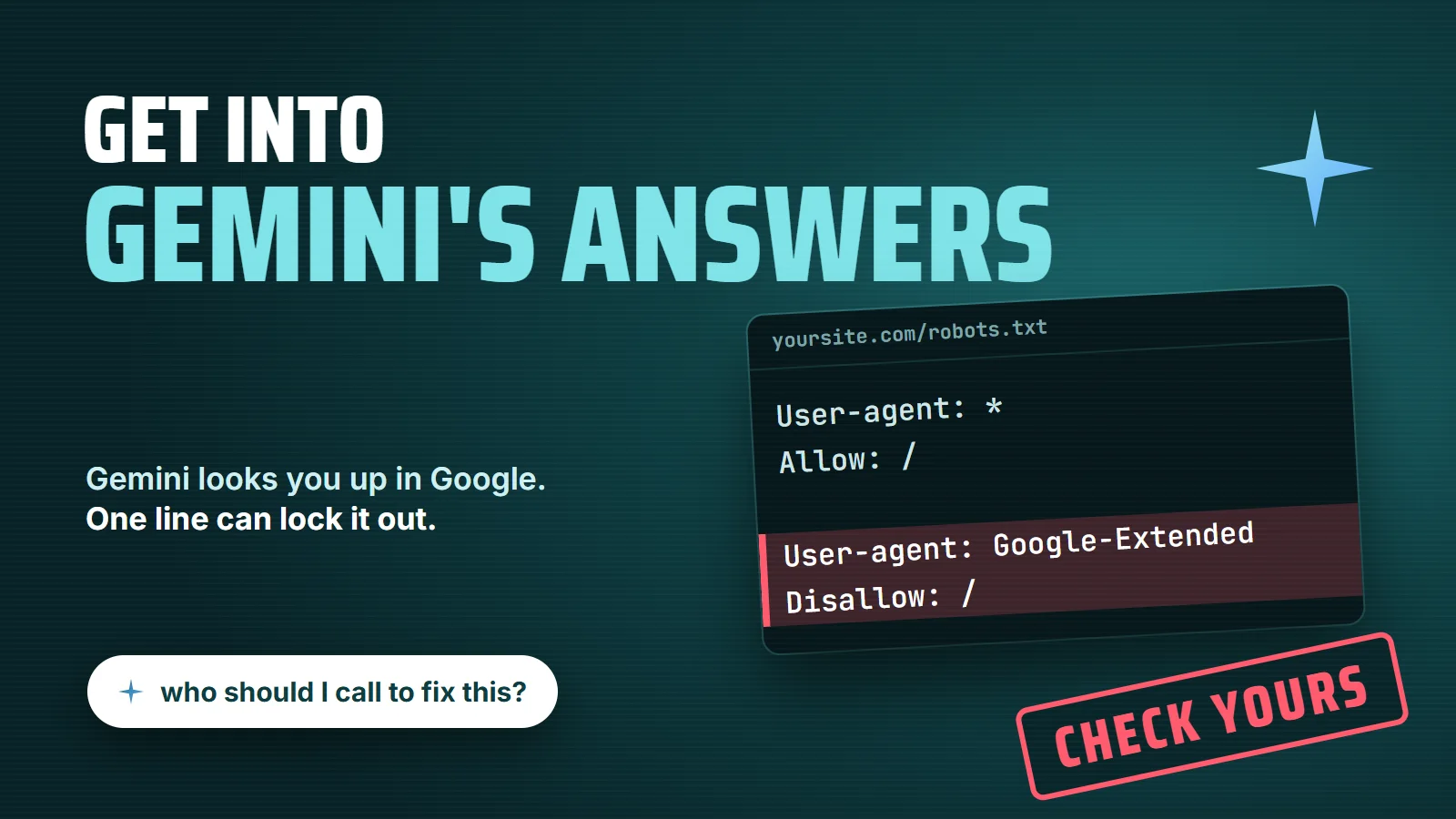
This is the part most owners never hear about. Google has a robots.txt setting called Google-Extended. According to Google’s crawler documentation, it lets site owners control whether their content may be used for training Gemini models and for grounding (providing content from the Google Search index to the model at prompt time to improve factuality and relevancy) in Gemini Apps
.
Read that twice. If your robots.txt blocks Google-Extended, you’re telling Google not to use your pages to ground Gemini’s answers. Google is also clear that this setting does not impact a site’s inclusion in Google Search nor is it used as a ranking signal in Google Search
, which is exactly why nobody notices: your Google rankings look fine while Gemini works around you.
User-agent: * Allow: /User-agent: Google-Extended Disallow: /
User-agent: * Allow: /Sitemap: https://yoursite.com/sitemap.xml
Blocking it can be a reasonable choice. Some publishers don’t want their work used to train AI models, and that’s their call. The problem is when the block got there by accident: added by a plugin, a security setting or a past developer, on a business site whose whole goal is to be found. You can check yours in ten seconds by typing your domain followed by /robots.txt into a browser.
When the question is local, your Business Profile counts
Most questions a service business cares about have a place in them: “near me,” a town name, “open now.” When Gemini looks one of those up in Google, the local results it finds are picked the way Google describes for every local search: Local results are mainly based on relevance, distance, and popularity.
Google also says plainly that businesses with complete and accurate info are more likely to show up in local search results.
That puts your Google Business Profile in the middle of it. Categories, services, hours, service area, photos and reviews are the facts Google has about you, and on Google’s own page, prominence is based on info like how many websites link to your business and how many reviews you have.
Keeping all of that complete and current is the core of local SEO, and it’s the cheapest thing on this list to fix.
Gemini can only cite what you've written down
Grounding works from pages, and a page can only be quoted on what it actually says. If your site has one services page that says “roofing, siding and more,” there’s nothing on it that answers “can a flat roof be patched in winter” or “how much does a leak repair cost in Oxnard.” The businesses Gemini names usually have a page, a short video or an FAQ that answers the question in plain words.
That’s the case for content and video built from the questions your customers already ask on the phone. Write down the answers you give every week, one question per section, with your town and your price ranges where you can stand behind them.
Ask Gemini and look at its sources
You don’t need a tool to see where you stand. Gemini shows its work. Google’s help page says: When sources are available, you can find the Sources button at the bottom of the response or in-line throughout the response.
It also warns that not all responses include related links or sources.
- Ask the real question. Use the words a customer would, with your town in it. Ask three or four versions.
- Open Sources. Write down every site Gemini linked. Those are the pages it trusted for that answer.
- Compare pages, not names. Look at what the cited pages say that yours doesn't. That gap is your to-do list.
- Check robots.txt and your Business Profile. The two quick fixes above, before you spend a dollar on anything else.
If someone offers you a “Gemini optimization” package, ask which of those four it changes. A package that doesn’t touch your pages, your robots.txt or your Business Profile is BSEO: you’d be paying for something without knowing what it is. And while the organic side builds, Google Ads management can put you at the top of the page for the searches that make money this month, which is a separate decision from Gemini altogether.
Send us your website. We'll check your robots.txt, your Business Profile and the pages a customer's question would land on, and show you the searches you're found for and the ones you're missing. No charge, and no obligation. Or call or text 805.243.8321.
Get My Free Market Assessment