Google Is Showing the Wrong Page for My Business
SEO The page you built The page Google picked
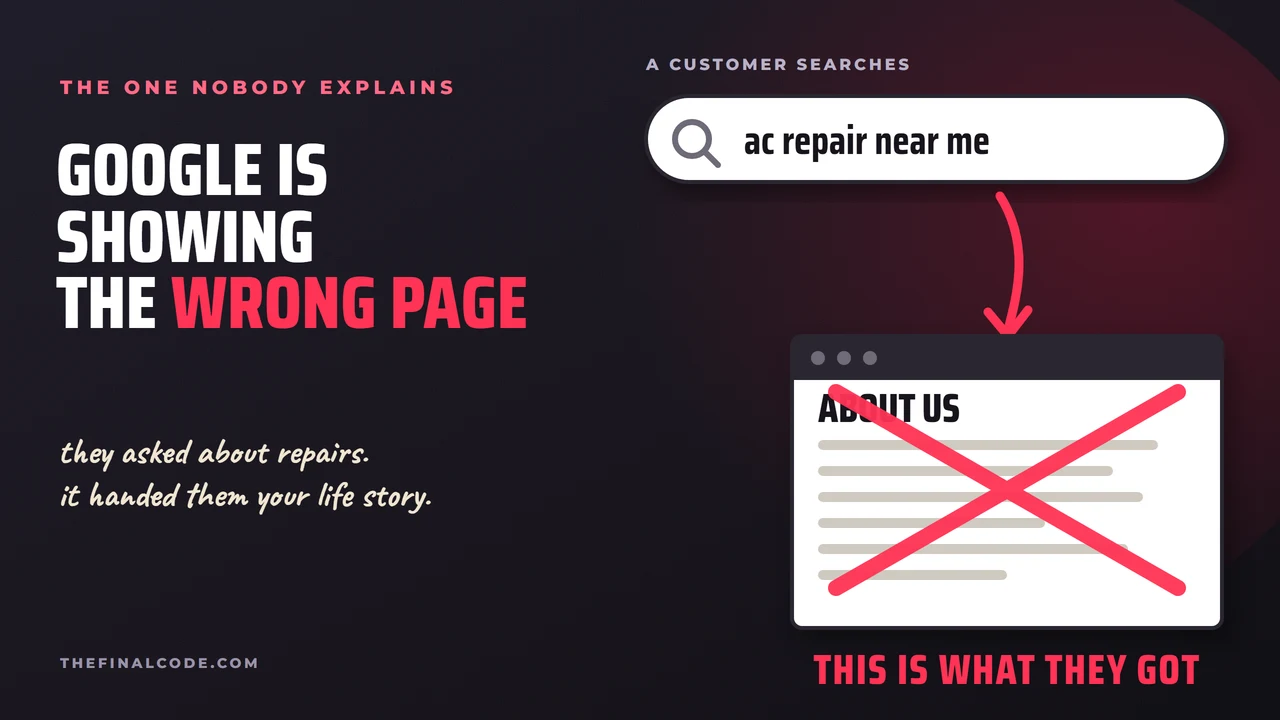
You built a page for the thing you do. Somebody searches that thing, and Google hands them your About page instead. Or a blog post from 2019. Or the page for the wrong town. Meanwhile the page you actually built for that search is nowhere. We do SEO for companies in Ventura County, and this one gets described to us in a dozen different ways, always with the same tone of voice.
Here is the part nobody tells owners: this is not a bug, and it is not random. Google decided your other page was the better answer. It will even tell you it did that, in your own dashboard, in language designed to be unreadable.
Written for the search. Prices, process, service area, the form at the bottom. This is the one you paid for.
Your story, a team photo, and a paragraph that happens to mention AC repair. No prices, no form, no reason to call.
Same searcher, same search, wrong door. They do not email you to say so. They hit back and click the next result.
And the numbers hide it. Traffic looks fine, because somebody did land on your site. Rankings look fine, because something of yours came up. The only thing that moved is the part you actually care about: the calls stopped. That is why this one runs for months before anybody catches it.
Google has a name for this, and it is in your Search Console
Google keeps a report on which of your pages it indexed and which it skipped. Buried in it is a status that means exactly what is happening to you.
Canonical is just their word for the page they treat as the real one when several of yours look alike. And they are blunt about who decides.
"Google may choose a different page as canonical than you do, for various reasons. That is, indicating a canonical preference is a hint, not a rule."
Google Search Central, what is canonicalizationA hint, not a rule. You can tell Google which page you meant, and it can still decide your About page represents you better. The job is to make that choice obvious rather than debatable.
Why Google picks the other page
Your own links point at the other one
Every menu, footer and in-text link is a vote for what a page is worth. Your About page is in the header on every single page of the site. Your service page is linked twice, from a dropdown nobody opens. Google counts, and believes the count.
The tell: the page ranking instead of yours is one you link to from everywhere.
The other page is older and better connected
An old page has had years to collect links and clicks. A new page has had a fortnight. Age is not magic, but history counts.
The tell: the winner is an old blog post you had half forgotten.
The page you meant is thinner than the one you did not
If the service page is a headline, a stock photo and a form, while the About page tells the story of the shop, the equipment and the twenty years, Google is not being stupid. It read both and picked the one that says more. This is the uncomfortable one, because the fix is writing.
The tell: read them side by side and the wrong one is genuinely more useful.
They are near enough identical, so it flips a coin
Two pages covering the same ground force a choice, and the choice can change week to week. That is a different problem with its own fix, and we went through it in how many pages you need to rank.
The tell: the page that ranks keeps changing.
Find out in ten minutes
Search your term the way a customer would: private window, phone, off the office wifi. Write down which of your pages comes up. Not the position, the page. That one detail is the whole diagnosis and almost nobody records it.
Then open Search Console, go to the Performance report, filter by that exact search, and switch to the Pages tab. It lists every page of yours that Google has shown for it. If the page you built is missing from that list, or sitting under a page you never intended, you have found it.
Google is not ignoring your page. It is answering with a different one of yours. Which means this is usually a signal problem, not a writing problem, and signals are faster to fix.
Two problems, two fixes
Point the signals at the right one
Keep both pages. Change what your site says about them: link to the service page from the pages that already rank, with link text that names the service, and mention the service page inside the body of the wrong page. Make the service page answer the search more completely than the accidental winner does. You are not arguing with Google, you are giving it a reason.
Stop running two
Pick the one you want, move anything worth keeping into it, and point the other address at it so the credit follows. Do that properly and nothing is lost. Do it carelessly and you get the kind of fall we described in why rankings fall after a change.
What this looks like when it works
Say your About page keeps taking the AC repair search. You change three things. The homepage link that reads "learn about us" becomes a second link that reads "AC repair", pointing at the service page. The About page picks up one line in its body: "we do AC repair across the county", linking across. And the service page gains the four things the About page had and it did not: what the visit includes, what it costs to come out, how fast you get there, and who did it last week.
None of that is clever. It is three links and four paragraphs, and it tells Google the same thing your customers were already being told badly.
The order we work in
- Confirm which page Google is actually using for the search, in Search Console, not from memory.
- Read both pages as a customer. If the wrong one is genuinely better, that tells you what the right one is missing.
- Fix the internal links. Point them at the page you want, with words that describe it. This is the single biggest lever and it costs nothing.
- Say which page is the one with a canonical tag, remembering it is a hint and only works if the rest agrees with it.
- Give it a fortnight, then look again. Indexing is not instant and swapping the fix twice in a week teaches you nothing.
One pair is a fix. A dozen pairs is a project, because every change moves the others, and that is the sort of untangling our SEO program does week to week.
Three things not to do
Do not delete the page that is ranking. It earned that position, and deleting it hands the search to a competitor while you wait for the other page to catch up. Point it, do not shoot it.
Do not paste the keyword across the page fifteen times. That was an SEO tactic in 2009 and it now makes the page worse to read, which is the opposite of the actual fix.
Do not change five things at once. If the page swaps back, you will have no idea which change did it, and you will spend the next month guessing.
If you are in Ventura County
Local businesses get this more than most, because the same service gets a page per town and the towns all read alike. When Google cannot tell Oxnard from Camarillo on your site, it picks one and sticks with it, and it might not be the one where your best customers are. That is a solvable problem, and it is most of what local SEO in Ventura County actually involves.
Send us your website and the searches you want to win. We will tell you which page Google is showing for each one, why it picked that page, and what it takes to hand the search back to the page you built. Free, no contract, and it is yours either way.
Get My Free Visibility Report Or call or text 805.243.8321